The Layer 2 Inspector
Layer 2 is the ZX Spectrum Next’s bitmap layer: up to 80K of pixels in consecutive 16K banks. NextReg
$12 picks the banks the display reads, $13 a second set for double buffering, and port $123B
maps one of them into the Z80’s address space for writing. When the picture is wrong, the cause is
usually in that plumbing — drawing into the displayed banks, flipping $12 and $13 at the wrong
moment, the write window mapped to the wrong 16K, the column-major wide modes, a palette offset, or a
transparency colour — and none of it is visible on the screen. The Layer 2 Inspector shows
the banks as the hardware decodes them, and where your writes are going.
It is available on the ZX Spectrum Next only.
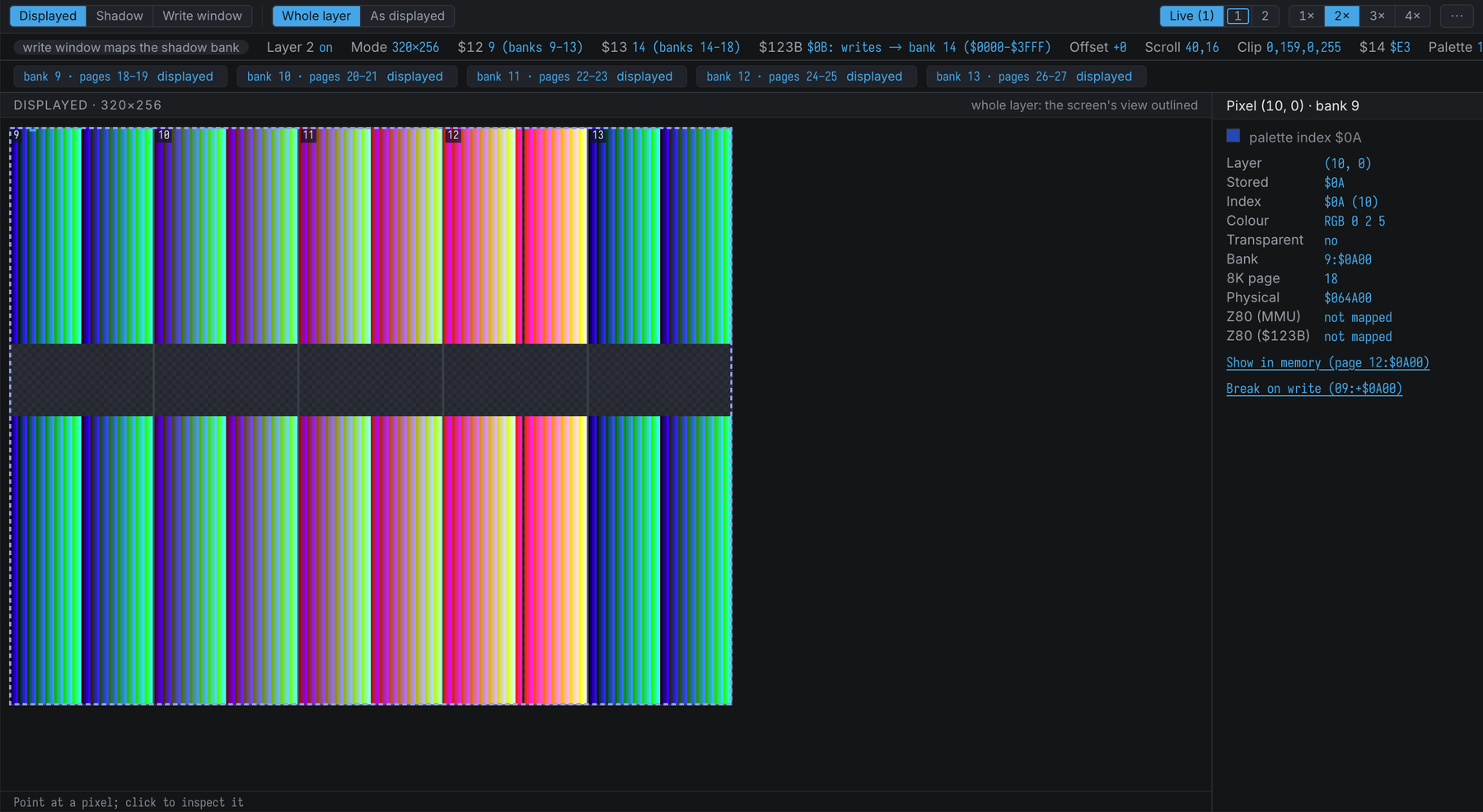
Opening It
Use Machine → Show Layer 2 Inspector, or the command:
show-layer2           ; the displayed banks
show-layer2 shadow    ; the shadow banks ($13)
show-layer2 window    ; the banks the $123B window maps
Sources
The first toolbar group picks what the image shows:
- Displayed — the banks from
$12: what the display reads. - Shadow — the banks from
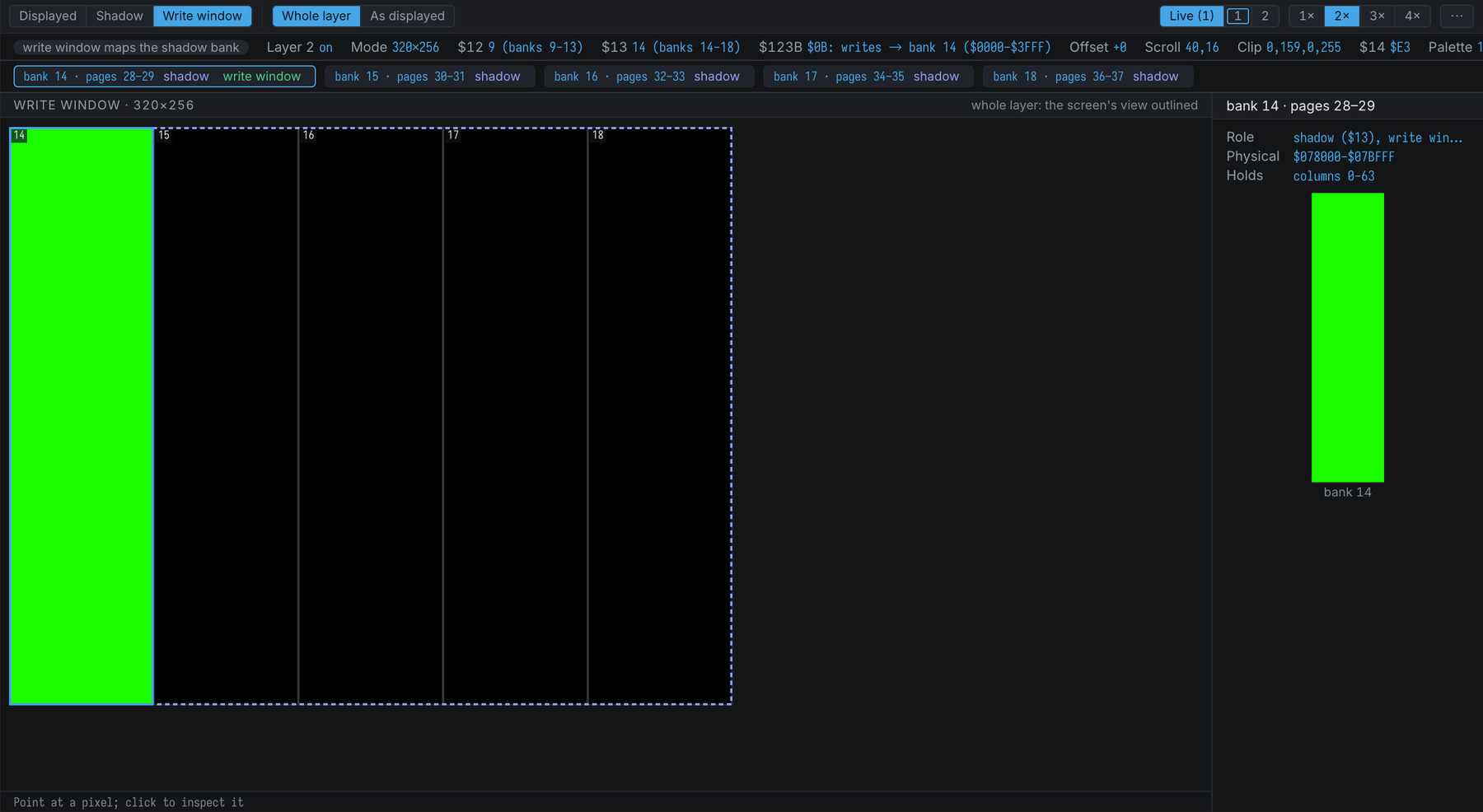
$13. These are read only while this source (or a write window that maps them) is shown, so an inspector on the displayed banks costs half as much. - Write window — the set the
$123Bwindow maps:$12’s, or$13’s when bit 3 is set. The bank (or, for segment 3, the three banks) the window maps is outlined, and tagged in the Banks strip.
Showing the shadow and the write window beside the displayed banks is the point: it answers “where are my writes going?”.
Whole Layer And As Displayed
Whole layer (the default) draws the banks unscrolled. The dashed outline is the part the screen
shows — the clip window moved by the scroll, which can wrap round both edges. Bank
boundaries (on by default) outline each 16K bank with its number: horizontal bands of 64 rows at
256×192, and vertical bands of 64 columns in the wide modes, because 320×256 and 640×256 store
their pixels column by column. A 256×192 program that switches $70 to a wide mode without
re-laying-out its data shows up here as a transposed picture.
As displayed applies the scroll and the $18 clip window, so the image matches the layer as it
reaches the mixer, with the clip window outlined.
- 640×256 pixels are half as wide as they are tall, so the image is drawn twice as tall instead of half as wide.
- Banks past the 2 MB of SRAM have no pixels; they are hatched, never drawn as transparent.
The registers are the ones at the stop. A program that changes the scroll, the palette offset or
$12 per line with the Copper produces a picture no single register set reproduces; the inspector
says so when the Copper is running.
The Globals Strip
The line under the toolbar summarises Layer 2’s registers. Diagnostics come first, as chips:
| Item | Shows |
|---|---|
| Layer 2 | On or off ($123B bit 1, or $69 bit 7) |
| Mode | 256×192, 320×256 or 640×256 ($70 bits 5-4) |
| $12, $13 | The first bank of the displayed and the shadow layer, and the banks they span |
| $123B | The port value and, in words, where the window sends accesses: writes → bank 14 ($0000-$3FFF), or window off; the tooltip decodes every bit |
| Offset | The bank offset a $123B write with bit 4 set stores |
| Scroll | $16 with $71 bit 0 (X, 9 bits) and $17 (Y) |
| Clip | The four $18 values; the tooltip gives the window in layer pixels and which value the next write sets |
| $14 | The global transparency colour |
| Palette | The Layer 2 palette ($43 bit 2) and the palette offset ($70 bits 3-0) |
| Copper | running when the Copper is on: it may change these registers per line |
Diagnostics
writes go to the displayed bank— the write window maps a bank the display reads: drawing shows at once, with no double buffering and a risk of tearing.write window maps the shadow bank—$123Bbit 3: writes land in$13’s banks and appear only when$12points at them.banks past 2 MB,write window past 2 MB— a bank number high enough to run off the SRAM: the display shows nothing there, and writes through the window are lost.scroll reads past the layer— the hardware’s scroll does not wrap neatly. In the wide modes a large X scroll reads source columns 320-511, which live in the three banks after the layer’s five; at 256×192 a large Y scroll reads rows 192-254, from the bank after the layer’s three.all visible pixels transparent— every pixel the screen shows has a palette colour equal to$14.$12 = $13,clip window empty,Layer 2 off.
The Banks Strip
The source’s three or five banks as chips — bank 9 · pages 18–19 — tagged displayed,
shadow or write window. Click one to outline it on the image and see it in the inspector: its
roles, its physical range, the rows or columns it holds, and a thumbnail.
The Inspector
Click a pixel to decode it:
- its position in the layer (and on the display, in As displayed; on the screen, at 256×192, whose paper starts at (32, 32) in the 320×256 layer space);
- the byte as stored — or, at 640×256, the nibble and which half of its byte;
- the palette index after the palette offset: added to the high nibble of an 8-bit pixel; at 640×256 the offset is the high nibble;
- the colour, with the priority bit that puts a Layer 2 pixel over sprites and the ULA;
- whether it is transparent: Layer 2 compares the palette entry’s colour with
$14, not the index, so two indices with the same colour are both transparent, and a palette change can make a pixel transparent without touching the bitmap; - four addresses: bank:offset, the 8K page, the physical address, and the Z80 address — through
the MMU and through the
$123Bwindow, each when mapped; - in amber, the reasons it may not be on screen.
Two actions under the fields, also in the pixel’s right-click menu with Copy coordinates, work whether or not the byte is mapped into the Z80’s address space — a Layer 2 bank rarely is:
- Show in memory opens the Memory view at the byte: at its Z80 address when the MMU maps it, and
otherwise in its 8K page (
page 12:$0A00). - Break on write sets a bank-relative write breakpoint (
09:+$0A00), which stops on a write to the byte wherever the MMU pages its bank in. When the$123Bwindow maps the byte for writes, it also sets a write breakpoint on the window address ($0A00), because a write through the window does not go through the MMU’s pages.
Both name their target in the button, and both are unavailable only for a byte past the 2 MB SRAM.
Options
The toolbar holds the palette (Live follows $43 bit 2; 1 and 2 pin a palette, and a ring
marks the one the hardware is drawing with) and the zoom when there is room. The ⋯ menu holds
those in a narrow document, and:
- Bank boundaries;
- Highlight priority pixels — dims every pixel whose palette entry lacks the priority bit;
- Show transparent pixels as transparent — on by default; off draws them in their colour;
- Checkerboard behind transparent pixels.
The document remembers these, and the pane sizes, with the workspace. It arranges itself by its own width: in a narrow document the inspector is a band under the image, in a wide one a rail beside it.
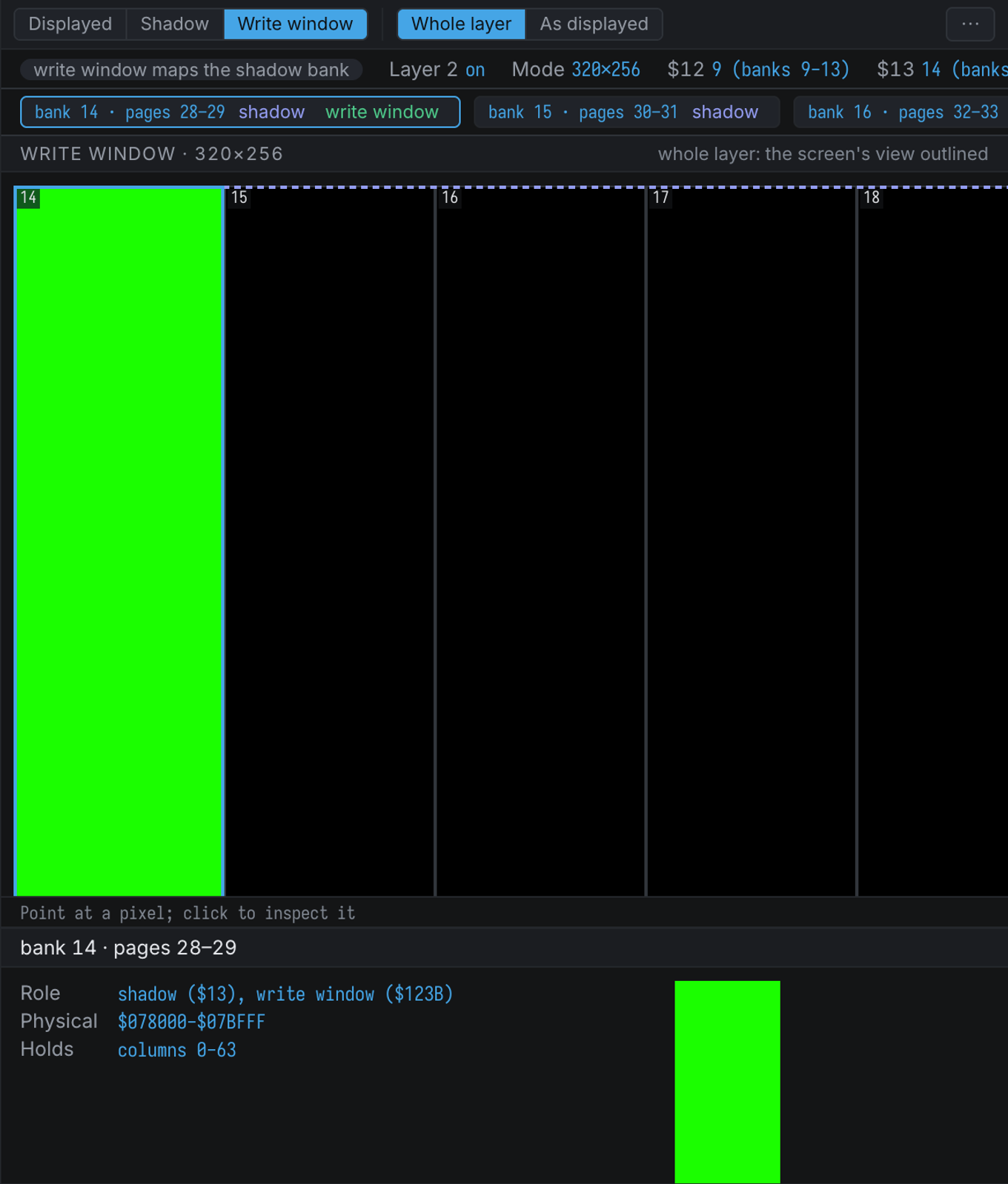
The inspector only reads. It copies the banks and reads the Layer 2 registers — port $123B
included — without side effects, so opening it never changes the machine.
Layer 2 Picture Files
.sl2 and .nxi files open in a viewer built on the same decoder. The size gives the resolution:
49,152 bytes is 256×192, and 81,920 bytes is 320×256 or 640×256 — the size cannot tell those two
apart, so the toolbar switches between them. A file 512 bytes longer starts with a palette (two bytes
an entry, in NextReg $44 order); without one the picture uses the Next’s default Layer 2 palette,
and the toolbar says which. Banks outlines the 16K banks the picture fills.