The Tilemap Inspector
A ZX Spectrum Next tilemap program writes a map of one- or two-byte entries and a set of 8×8 tile definitions into bank 5 or bank 7, then points six NextRegs at them. When the picture is wrong, the cause is usually in that setup — a base address that overlaps the ULA screen or the other table, attribute-less mode with a two-byte map, 512-tile mode quietly taking attribute bit 0, a palette offset, the scroll and clip units — and none of it can be read back from the Z80. The Tilemap Inspector shows the map and its definitions as the hardware decodes them.
It is one document with two linked views: Map (the 40×32 or 80×32 map) and Tiles (the 256 or 512 definitions). Select a cell and the inspector shows its tile; select a tile and every cell that uses it is outlined on the map. It is available on the ZX Spectrum Next only.
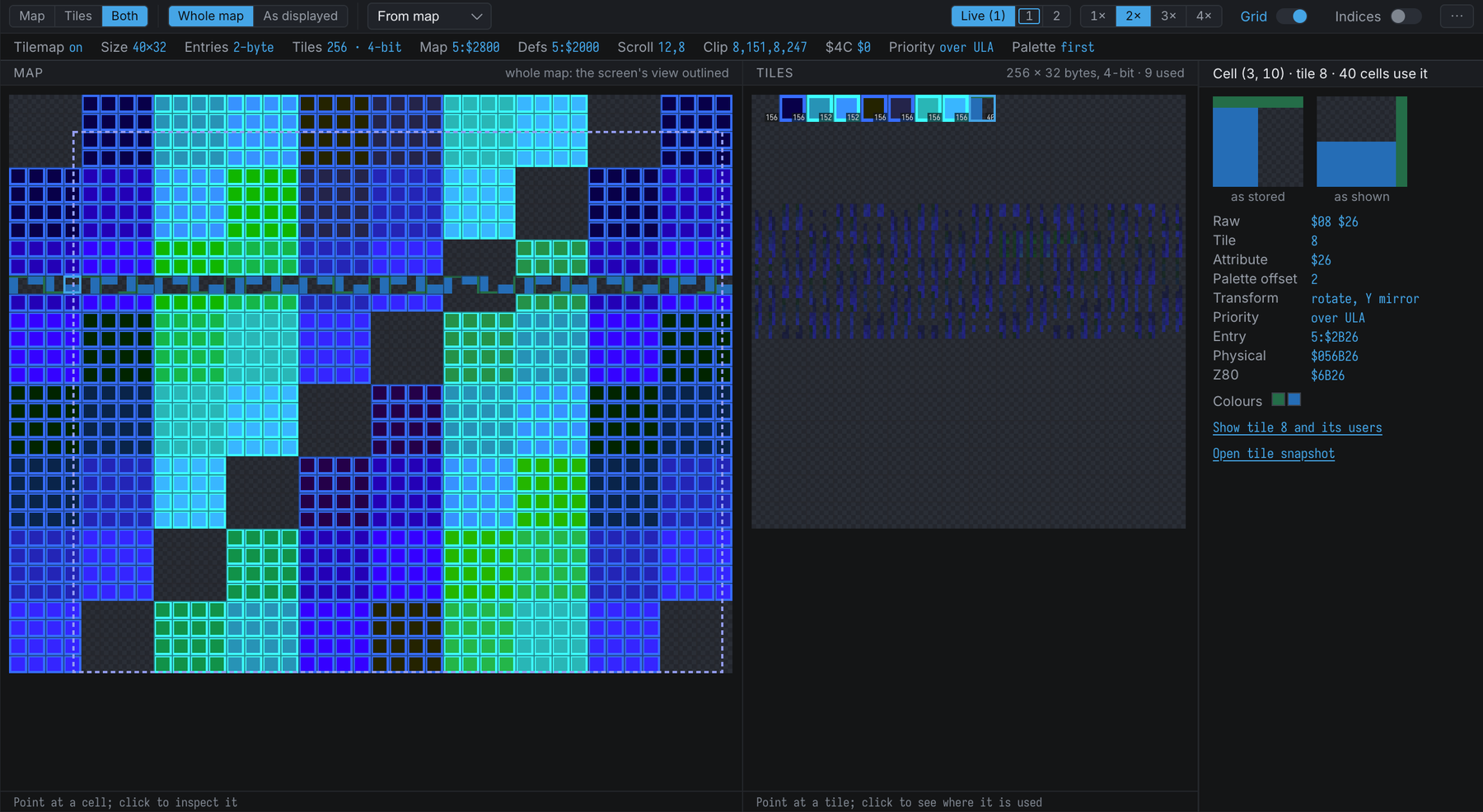
Opening It
Use Machine → Show Tilemap Inspector, or one of the commands:
show-tilemap          ; the Map view
show-tilemap 12 5     ; ... with cell (12, 5) selected
show-tiles 40         ; the Tiles view, with tile 40 selected
The Layout
Like the Sprite Inspector, the document arranges itself by its own width:
- Narrow: Map and Tiles are tabs, and the inspector is a band under them.
- Medium: tabs, and the inspector is a rail beside the view.
- Wide: Both is offered too — the map and the tile sheet side by side, with the rail. Both is the default; where it does not fit, the tab decides.
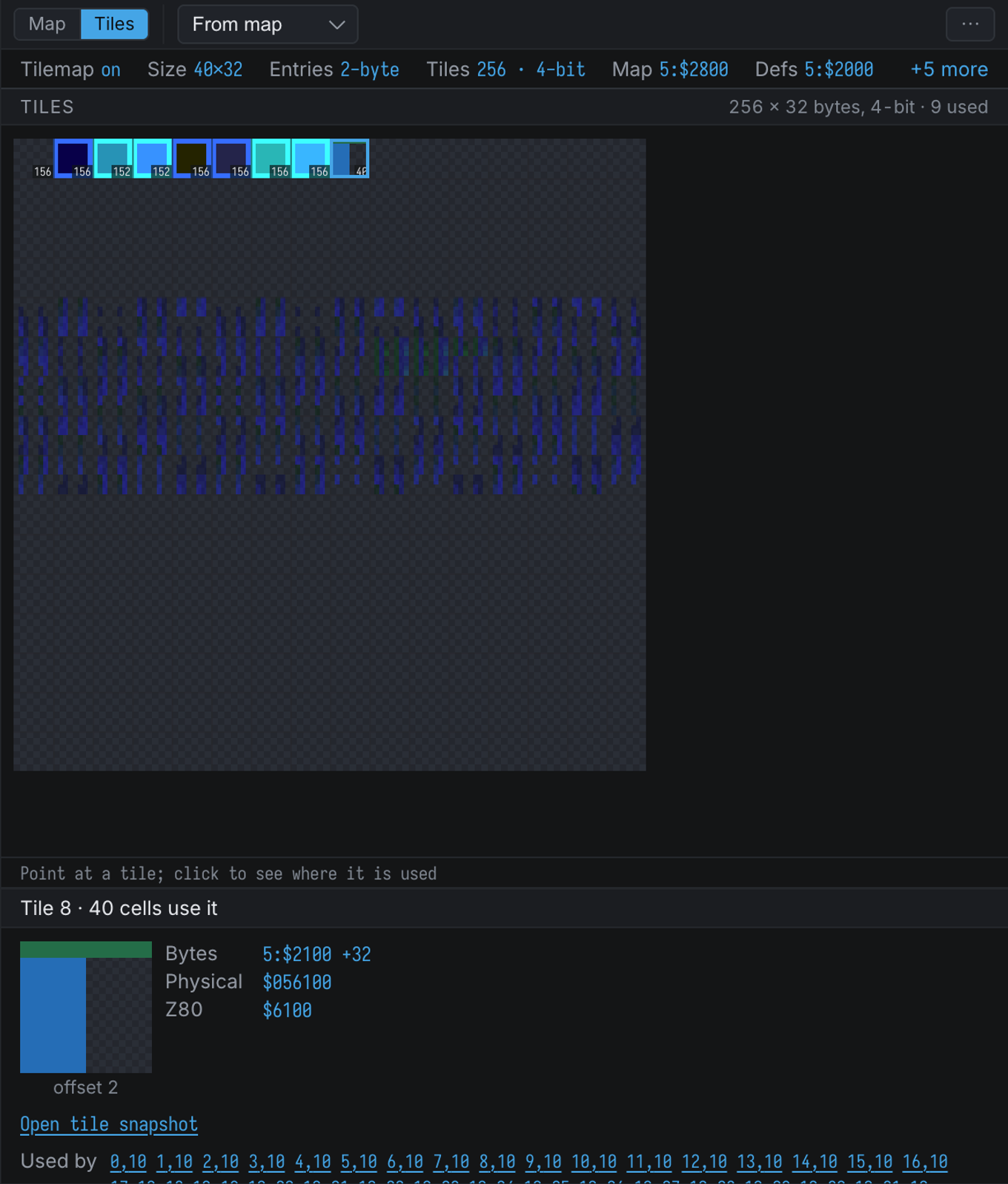
The toolbar holds the view tabs, the map mode, the tile sheet’s palette offset, the tilemap palette
(Live follows NextReg $6B bit 4; 1 and 2 pin a palette, and a ring marks the one the
hardware is drawing with), and the zoom, Grid and Indices switches when there is room.
Whatever does not fit — and the tile sheet’s zoom and the checkerboard — is in the ⋯
menu. The document remembers these, and the pane sizes, with the workspace.
The inspector only reads. It copies banks 5 and 7 and reads the tilemap registers without side effects, so opening it never changes the machine.
The Globals Strip
The line under the toolbar summarises the tilemap’s registers. Diagnostics come first, as chips:
| Item | Shows |
|---|---|
| Tilemap | $6B bit 7 |
| Size | 40×32 or 80×32 ($6B bit 6) |
| Entries | 2-byte (tile, then attribute), or 1-byte with the attribute every cell takes from $6C ($6B bit 5) |
| Tiles | 256 or 512 ($6B bit 1), and 4-bit or text 1-bit ($6B bit 3) |
| Map, Defs | Where the map ($6E) and the definitions ($6F) start, as bank:offset; the tooltip adds the physical address and the Z80 address when the page is mapped |
| Scroll | $2F/$30 (X, 10 bits) and $31 (Y) |
| Clip | The four $1B values; the tooltip gives the window in layer pixels and which value the next write sets |
| $4C | The transparent nibble — or, in text mode, $14, the global transparency colour |
| Priority | Over or below the ULA: per cell (attribute bit 0), always below in 512-tile mode, always over with $6B bit 0 |
| Palette | First or second tilemap palette ($6B bit 4) |
| Copper | running when the Copper is on: it may change these registers per line |
Diagnostics
The map, the definitions of the tiles the map uses, the ULA bitmap ($4000-$57FF) and the ULA
attributes ($5800-$5AFF) are checked against one another, because an overlap is the commonest
tilemap bug and stays invisible until the program writes to one of them:
map overlaps ULA attributes,tiles overlap ULA bitmap,map overlaps tiles, and so on. They are warnings, not errors: sharing bank 5 is legal and sometimes deliberate. The ULA ones disappear when the ULA is turned off ($68bit 7).map wraps in bank 7,tiles wrap in bank 7— bank 7 is an 8K memory for the tilemap, so a table that runs past 8K continues at the start of bank 7, not into the next page.table wraps(grey) — a full table of 256 or 512 tiles would run past the end of its bank, but the tiles in use do not.tilemap off, and512 tiles: below ULA— in 512-tile mode attribute bit 0 is the ninth bit of the tile number, so no cell can ask to be over the ULA unless$6Bbit 0 forces the tilemap on top.
The Map View
Whole map (the default) draws the map unscrolled: cell (0, 0) at the top left. The dashed outline is the part the screen shows — the clip window moved by the scroll, which can wrap round both edges. As displayed applies the scroll and the clip window, so the view matches the tilemap layer as it reaches the screen, with the clip window outlined.
- Grid draws the cell grid from zoom 2; Indices writes each cell’s tile number from zoom 3.
- A dot in a cell’s corner marks a cell whose tile or attribute changed since the machine last stopped.
- The line under the map names the cell under the pointer, its tile and its entry address.
- In 80-column mode the map is 640 pixels wide: each tile is drawn 8 pixels wide, half a screen pixel each.
Right-click a cell to Show entry in memory, to Break on write to this entry (an ordinary memory write breakpoint on its bytes) or to Copy as .db. The first two need the entry’s page to be mapped into the Z80’s address space.
The registers are the ones at the stop. A program that changes the scroll or the palette offset per line with the Copper produces a picture no single register set reproduces; the inspector says so when the Copper is running.
The Tiles View
The definitions as a sheet of 8×8 tiles, 16 to a row: 256 or 512, 4-bit or text mode. Tiles no cell uses are dimmed; from zoom 3 a small count in each used tile’s corner says how many cells use it. From map draws each tile with the palette offset of the first cell that uses it, so the sheet looks like the screen; Fixed n uses one offset for all.
Opening A Tile Snapshot
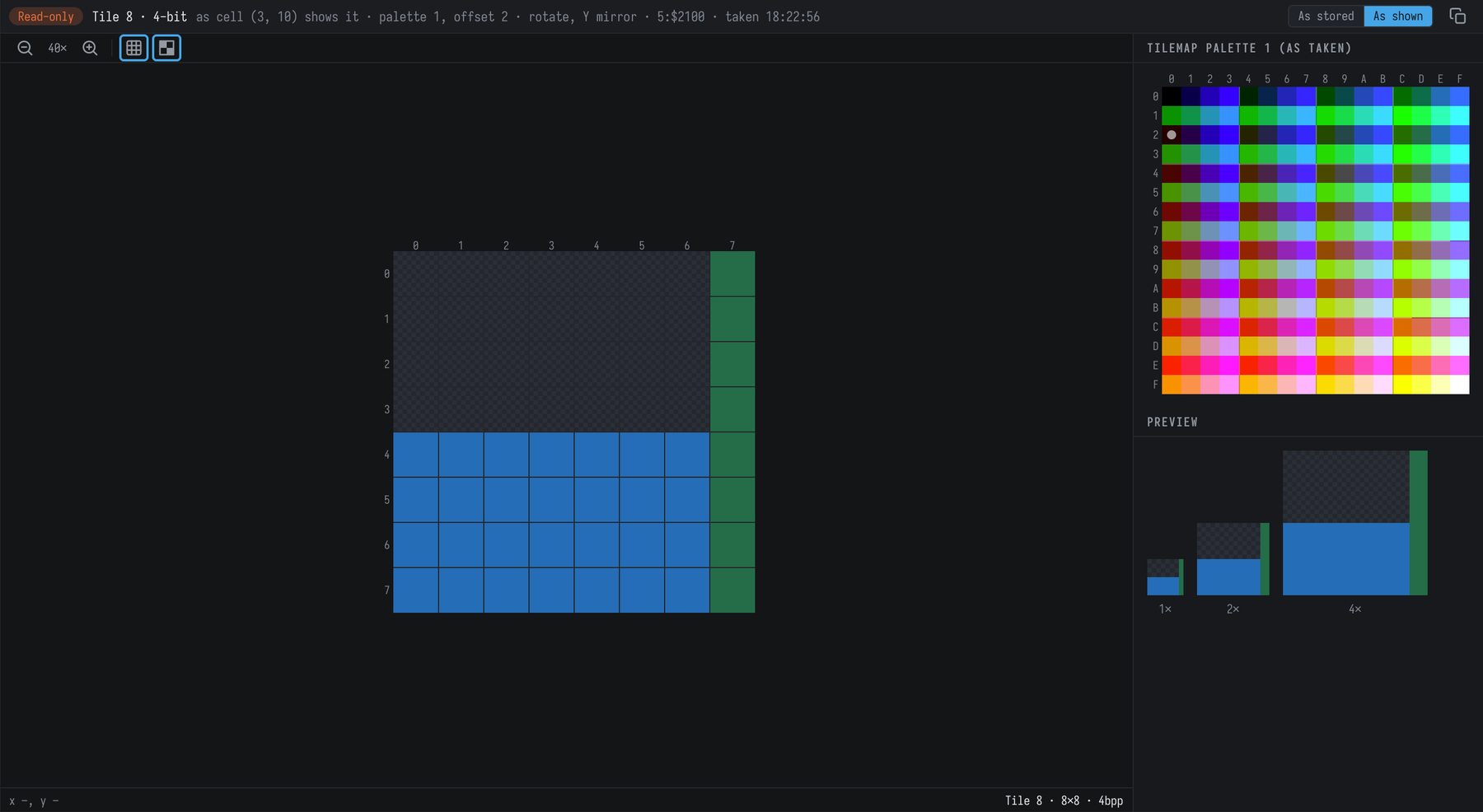
Open tile snapshot (in the inspector, for a cell or a tile, and in a cell’s right-click menu) pops the tile out into a read-only tile viewer, laid out like the sprite editor: the 8×8 pixels large, with rulers and a grid, the tilemap palette, and a preview at 1×, 2× and 4×. Point at a pixel to read its position, its stored nibble (or bit, in text mode) and the palette index it draws, or why it is transparent.
The snapshot is frozen when you take it — the tile’s bytes and the tilemap palette — so it keeps its colours after the program changes them or the machine stops:
- Taken from a cell, it uses that cell’s palette offset and opens As shown: rotated, then mirrored, the way the hardware draws the cell. As stored shows the definition bytes unturned.
- Taken from the Tiles view, it uses the sheet’s palette offset (From map or Fixed n).
- The copy button puts the tile’s bytes on the clipboard as
.dblines.
The bar at the top names the tile, the cell, the palette and offset, the transform, the address and the time. Taking the same tile again refreshes its tab; the snapshot is not saved and does not come back with the workspace.
The Inspector
For a cell: its tile as stored and as shown — rotated first, then mirrored, the way
the hardware does it — then every field with the raw bytes: the tile number (300 (bit 8 from attr) in 512-tile mode), the attribute, the palette offset, the transform and the priority; the entry
three ways (bank:offset, physical, and the Z80 address when mapped); the colours the cell shows; and,
in amber, every reason it may not be on screen: the tilemap is off, the cell is outside the visible
window, all of its pixels are transparent, or it is below the ULA.
For a tile: the tile large, its bytes, and the cells that use it — click one to select it on the map.